






Windscribe

Free VPN for Apple TV.

10 GB/Month.In the App Store.

We built a real tvOS app, gave it up to 10 GB/month of free data, and made signing in not require finger-pecking on a Siri remote. Try it free.
Download for Apple TV
Rated 4.7 by Trustpilot • 13K reviews
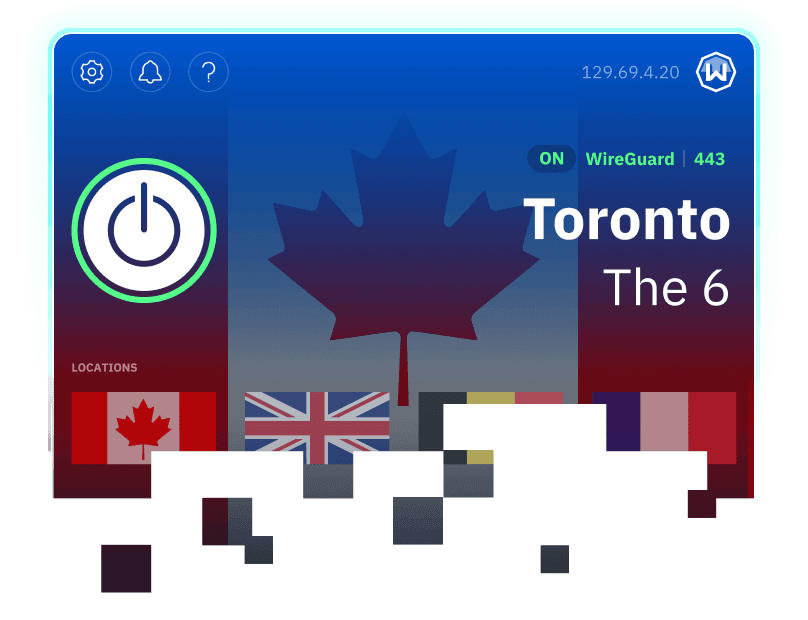
Windscribe for Apple TV, connected and sitting over the planet

Built Natively for tvOS

Windscribe runs as a native tvOS app on Apple TV HD and Apple TV 4K models running tvOS 17.5 or later.
  • Operating System
    tvOS 17.5+
  • Hardware
    Apple TV HD & Apple TV 4K
  • Installation
    Apple TV App Store
  • Sign-In
    Lazy Login, 6-Digit Code
Older Apple TV (3rd gen or earlier)? No App Store means no native app, but you can still use Windscribe on a compatible router, or AirPlay from a VPN-connected iPhone, iPad, or Mac where the streaming app supports it.
Windscribe on Apple TV specifications

Privacy You Can Verify

How to install

Set Up Windscribe on Apple TV in Seconds

  1. 1. Get the App
    Open the App Store on Apple TV and search for Windscribe VPN.
  2. 2. Log In via Lazy Login
    Generate the code on Apple TV, then enter it in the Windscribe app on your phone.
  3. 3. Connect
    Pick a location with your remote, approve the tvOS VPN permission, and press connect.
Free vs Pro

What You Get for Free (and What Pro Adds)

Windscribe Free is the same TV app and same encryption as Pro, with a monthly data cap and fewer locations.
Data
Locations
Devices
Sign-In
Extras
PopularFree$0, forever
Data
10 GB data per month: 2 GB before you confirm your email
Locations
10 countries: US, Canada, Germany, Switzerland and 6 more
Devices
Unlimited devices: No cap on devices you can use at once
Sign-In
Lazy Login: Sign in with a 6-digit code, no remote typing
Extras
Same encryption as Pro: AES-256 and a strict no-logs policy

RecommendedProfrom $3/mo
Data
Unlimited data: No strings attached
Locations
69+ countries, 135+ cities: The full suite of Windscribe locations
Devices
Unlimited devices: No cap on devices you can use at once
Sign-In
Lazy Login: Sign in with a 6-digit code, no remote typing
Extras
Static IP add-on: The same IP every time for fewer proxy errors

Free Forever. Why?

Free is our marketing budget. We don't run ads, sell your data, or sneak you into a paid trial.
Need more data or countries? Go Pro. Post about us on X and get an extra 5 GB every month. Yes, really.
Download for Apple TV

4 Ways to Use Windscribe With Apple TV

  • App Store
    Install natively on Apple TV HD and 4K 17.5+.
  • Lazy Login
    Sign in with a 6-digit code, no remote typing.
  • Router
    Cover older Apple TVs and every device on Wi-Fi.
  • Screen Mirroring
    Mirror from a VPN-connected iPhone, iPad, or Mac.

Stream What You Actually Want to Watch

Part of Windscribe's job is bringing the shows that aren't always available in your region to your living room.

Get Windscribe for Apple TV

Grab the popcorn and stream from your couch with more privacy, fewer regional headaches, and zero Siri remote password gymnastics.

Frequently Asked Questions

Does Apple TV have a built-in VPN?

No. Apple TV supports third-party VPN apps on modern tvOS, but Apple does not include its own consumer VPN service. To use Windscribe, install it from the Apple TV App Store on a supported Apple TV model.

Is "VPN for Apple TV" the same as "VPN for Apple TV+"?

No. Apple TV refers to the actual physical hardware box sitting underneath your television screen. Apple TV+ is Apple's premium standalone streaming service. Not the same thing.

Can I install Windscribe on my old Apple TV (3rd gen or older)?

Not natively. Apple discontinued application marketplace support on legacy models. To run Windscribe on older Apple TV units, you must either configure the VPN tunnel directly on a compatible home router or utilize Apple's native AirPlay function to broadcast video from an encrypted Mac, iPhone, or iPad.

Is the free tier actually usable on Apple TV?

Yes, but it has a data cap. Windscribe gives you up to 10 GB/month with a confirmed email, which is enough to test your Apple TV setup, watch a shorter event, or stream casually. Daily binge-watchers and 4K goblins will want an unlimited plan.

Why does Netflix show a proxy detected error on my Apple TV?

Streaming platforms block some VPN IPs. If Netflix complains, switch to another Windscribe server in the same country and try again. A Static IP may reduce repeat blocks, but no VPN setup can promise permanent access forever. Streaming platforms love ruining everyone's evening.

Will a VPN slow down my 4K streaming?

Some slowdown is normal because your traffic takes an encrypted detour. For best results, use WireGuard and choose a nearby server. Netflix recommends 15 Mbps or higher for 4K, so a solid broadband connection should still have plenty of room.

Why don't you offer Smart DNS for Apple TV?

Because Smart DNS is not a real VPN. It can help with basic location routing, but it doesn't encrypt your Apple TV traffic or hide your IP like Windscribe's native VPN app does. If you only want a smart DNS app, you can check out our sister company, ControlD.

Is it legal to use a VPN with my Apple TV?

In most countries, yes. VPN laws vary by location, and streaming platforms may have their own terms about regional access. A VPN protects your connection, but it doesn't make illegal activity legal. Boring, but true!